You land coverage, open the article, and it includes a link back to your site - but how valuable is it?
Finding the link attribute usually means viewing the page source, or reaching for a browser extension where checking whether a link is dofollow or nofollow is an afterthought.
I have to do this constantly, and I got tired of the market leaders hiding this feature in submenus, moving it with every major update, or trying to push more and more premium features.
So, I built the Coverage & Backlink Checker.
It's free, checks any page for links pointing to your domains, and tells you exactly what kind of link it is. No bloat, no clicking through menus, no nonsense.
Why Link Status Matters
Not every backlink carries the same weight.
A dofollow link is the gold standard and passes the most authority from the linking domain. But while nofollow links carry less value, the value isn’t zero.
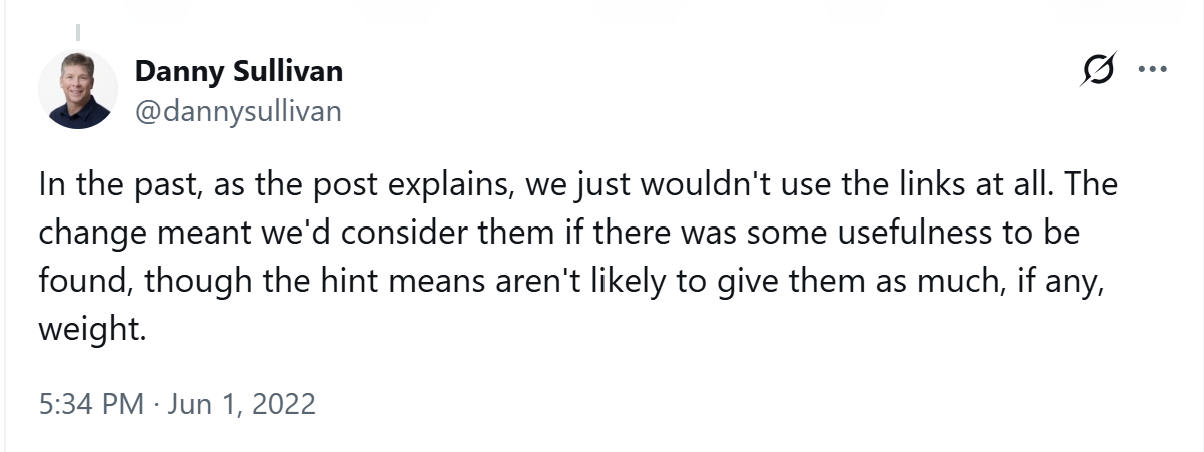
In 2019, Google changed how nofollow links are treated, saying that they now act as a ’hint’. How valuable they are, though, is still a hotly debated topic.
There are also sponsored links, used specifically to flag paid-for placements.
Affiliate links are where this gets a little trickier, and a publisher might route an outbound link through a network like Skimlinks, Awin, or Rakuten without a journalist necessarily realising it.
The anchor text could be your brand name, and clicking the link takes you to your site, but if it’s redirected through an affiliate site first, that changes how the link behaves and, as a result, what it's worth.
What the Extension Does
Save your domains and check any page for backlinks. Add a domain, or multiple domains, you want to track, then click the extension icon. This checks your current page for links to domains in your saved list.
An instant, visual answer. No more viewing source or scanning the page by eye, trying to spot the right link among dozens of others. The matching link gets highlighted directly on the page, colour-coded by status, and the page automatically scrolls to bring the first link into view.
It handles the affiliate-wrapper problem specifically. The extension checks the real destination behind a link, not just the wrapper URL. So a link to your domain but routed through Skimlinks, Awin, Rakuten Advertising, CJ Affiliate, or Sovrn and VigLink gets correctly identified and flagged appropriately.
Built for tracking more than one thing at once. If you're checking coverage across several clients or sites, you can save multiple domains with nicknames, so you're not juggling five different tools or browser tabs trying to remember which domain belongs to which client.
A one-click citation copy. Once a match is found, one click copies everything you need for a coverage log: date published, coverage URL, link status, the specific page it links to, and the anchor text. It comes out tab-separated, ready to paste straight into spreadsheet columns without any reformatting.
Nothing leaves your browser. Everything runs locally. Your saved domains stay on your device, and nothing gets collected, stored, or sent anywhere.
How to Install It
1. Go to the Chrome Web Store and click Add to Chrome.
2. Click the extension icon and add the domain(s) you want to track.
3. Open any page you want to check and click the icon again.
It's free, will always be free, and there's no account or sign-up required.
Now you know how to check links, learn how to build them with The Digital PR Toolbox.
